
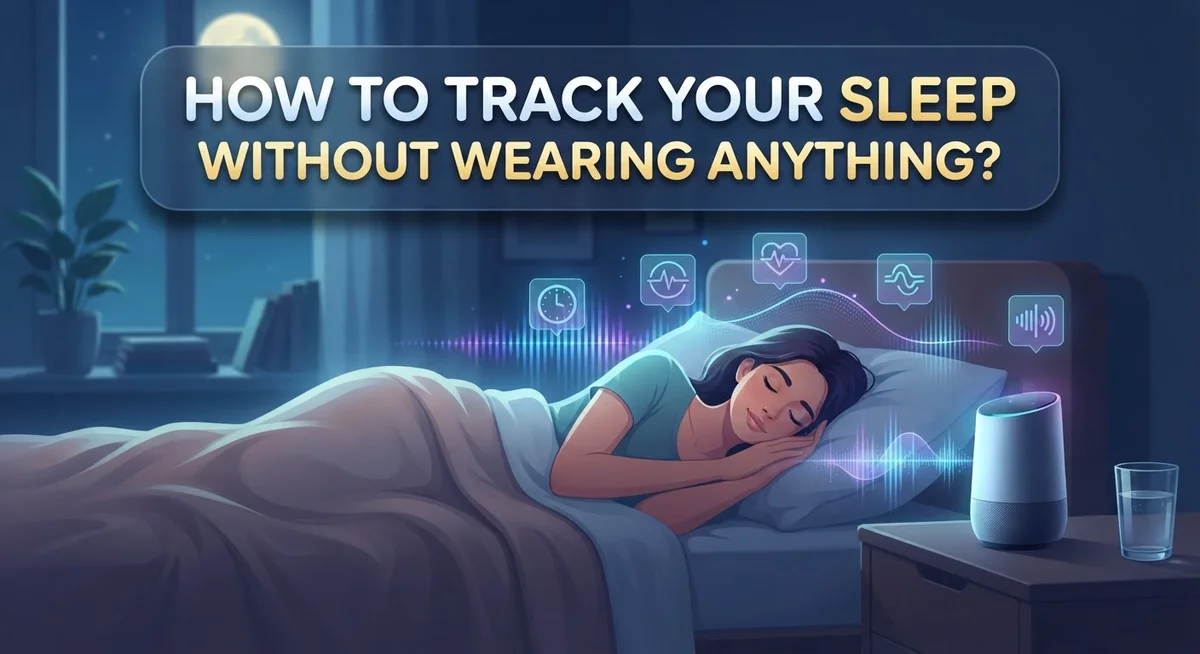
How to Track Your Sleep Without Wearing Anything?
Do you want to track your sleep but hate wearing a device to bed? You are not alone.
Many people find wearables uncomfortable. Others simply forget to charge them.
The good news? You can still get useful sleep data without strapping anything to your wrist.
Smart beds, under mattress sensors, and smartphone apps all offer solid alternatives. Your phone’s microphone and speaker can detect movement and sound. This helps estimate how long you slept and how well you slept.
Some phones even have this feature built right in. Apple’s Health app, for example, includes native sleep tracking. No extra gadgets needed.
This article walks you through the best ways to monitor your sleep without wearables. We will cover smartphone apps, smart bed technology, and under mattress sensors.
You will also learn common mistakes to avoid. Things like tracking for too short a time or only monitoring your “good” sleep nights.
By the end, you will know exactly how to get accurate, helpful sleep insights. All without a single wearable in sight.
In a Nutshell
Here is a quick summary of what you need to know:
-
Choose your method. Smart beds, under mattress sensors, and smartphone apps all track sleep without wearables. Pick the one that fits your lifestyle best.
-
Phones use sound to track you. Smartphone apps rely on your microphone and speaker. They listen for movement and breathing patterns while you sleep.
-
iPhones have a built in option. You can turn on native sleep tracking through the Health app. No extra download is needed.
-
Stages stay hidden. Non-wearable tools cannot show you accurate sleep stages. They mostly track how long you stayed in bed.
-
Consistency matters most. Track your sleep for several weeks before you judge the results. One or two nights will not give you the full picture.
-
Avoid common traps. Do not track only on your best nights. Do not obsess over every metric. And always check that your device or app is calibrated correctly.
These simple steps help you get useful sleep insights, wearable free.
Why Track Sleep Without a Wearable Device
Many people skip sleep tracking because wearables feel uncomfortable or annoying. You might find a watch or ring irritates your skin, disrupts your sleep, or just feels like one more device to charge. Non-wearable options solve these problems entirely.
Smart beds and under-mattress sensors work passively. You simply sleep normally. No straps. No charging. No reminders to wear anything. These tools sit beneath you and collect data automatically while you rest.
Smartphone apps offer another practical route. Your phone already sits on your nightstand for most people. Apps use your microphone and speaker to detect movement and sound patterns. This means you get sleep tracking with zero new purchases or equipment.
Accessibility matters too. Not everyone wants to spend extra money on wearable devices. Phone-based tracking lets you start immediately using technology you already own. iPhones include a native sleep feature right in the Health app. You activate it and begin tracking within minutes.
Comfort is perhaps the biggest advantage. Wearables can shift during sleep, create pressure marks, or trigger allergies. Some people simply sleep better without anything on their body. Non-wearable methods eliminate these issues completely.
You also gain consistency. When tracking feels effortless, you actually stick with it. Wearables sometimes get forgotten or left uncharged. Passive systems run automatically every single night without your input.
The real benefit? You collect honest sleep data. When you do not have to remember wearing anything, you sleep naturally. This gives you accurate information about your real sleep patterns, not your sleep habits on nights you remember your device. That authentic data helps you spot real problems and improvements.
Understanding the Technology Behind Non-Wearable Sleep Tracking
Non-wearable sleep tracking works through different methods, and each one uses its own approach to measure your rest.
Smartphone apps rely on sound waves. Your phone’s microphone picks up movements and noises while you sleep. The speaker sends out gentle sound signals. These signals bounce back to the microphone, creating a picture of your movement patterns. The app then uses algorithms to guess when you are asleep or awake. This method works best if you keep your phone on your nightstand.
Smart beds and under-mattress sensors use pressure detection. These devices sit beneath you and sense weight shifts throughout the night. When you move, the sensors record the change. Over time, they build a pattern of your sleep and wake cycles. This approach requires no phone nearby and works passively while you rest.
iPhones use a built-in motion sensor. The device’s accelerometer detects movement even when your phone sits idle. Apple’s Health app combines this data with your schedule to estimate sleep time. This method focuses on duration rather than detailed sleep information.
All these methods have limits. None of them can accurately identify REM sleep, light sleep, or deep sleep stages. They measure movement and time, not brain activity. This means you get basic data about how long you slept, but not the quality breakdown that wearables provide.
The key difference? Non-wearable options track sleep duration and general patterns. They cannot measure heart rate variability or oxygen levels. For people who want simple sleep timing information without wearing anything, these tools offer practical value. Just remember that accuracy depends on consistent use and proper device placement.
How to Set Up Sleep Tracking on Your iPhone
Your iPhone makes sleep tracking simple without requiring any wearable device. The native sleep tracking feature sits inside your Health app and works automatically once you enable it.
Start by opening the Health app on your iPhone. Tap the “Browse” tab at the bottom of your screen. Look for “Sleep” in the list of categories. Select it and tap “Get Started” to begin the setup process.
Next, you’ll create a sleep schedule. Choose your target bedtime and wake time. Your iPhone will send you reminders before bed so you stay consistent. Consistency helps the app learn your actual sleep patterns over time.
The app uses your iPhone’s motion sensors to detect when you’re asleep. Keep your phone on your nightstand or bed during sleep. Your device’s accelerometer picks up movement and translates it into sleep data.
After several nights of tracking, open the Sleep section again to see your results. The app shows your total sleep duration and tracks whether you met your sleep goals. You’ll notice trends emerge after one to two weeks of data collection.
Important note: This built-in feature only measures how long you sleep, not the quality of your sleep stages. It won’t distinguish between light and deep sleep phases.
You can also set up wind down reminders. These notifications appear 30 minutes before your bedtime. They help you prepare mentally for sleep and build better sleep habits.
The Health app stores all your sleep history. You can review weekly and monthly summaries to spot patterns. This information helps you understand what affects your sleep quality over time.
Using Smartphone Apps with Microphone and Speaker Tracking
Your smartphone can track sleep using its built in microphone and speaker. These apps work by detecting sounds and movements throughout the night. Your phone sits on your nightstand or under your pillow to pick up audio signals.
The microphone captures rustling sounds, breathing patterns, and movement noises. The app’s algorithm analyzes these audio signals to estimate when you’re asleep or awake. This method relies on sound wave detection rather than body sensors. The speaker sometimes emits ultrasonic waves that bounce off your body to measure movement, though this varies by app.
To use this type of tracking, download a sleep app that uses microphone technology. Grant the app permission to access your phone’s microphone. Place your phone within a few feet of your bed for accurate readings. Keep your phone plugged in since sleep tracking drains battery quickly.
Start tracking for at least one week before reviewing patterns. The app needs multiple nights of data to establish your baseline sleep habits. Most apps show average sleep duration, not sleep stages like REM or deep sleep.
Keep in mind that microphone based tracking has accuracy limits. Background noise, roommates, or pets can confuse the app’s detection system. The algorithm may overestimate or underestimate your actual sleep time. Environmental factors like room temperature or light don’t affect these apps, but sound sensitivity does.
Consistency matters most with this method. Track every night, including poor sleep nights, to get honest data. Avoid turning off the app on nights when you sleep poorly, as this skews your results. Over time, you’ll notice genuine sleep patterns emerge from the data.
Exploring Smart Beds and Under-Mattress Sensors
Smart beds and under-mattress sensors offer a hands-free way to monitor your sleep without wearing anything on your body. These devices sit directly under your mattress and detect your movements throughout the night.
How these sensors work is straightforward. They use pressure detection technology to sense when you shift positions, get out of bed, or lie still. The sensors track these patterns and estimate how long you sleep based on your activity level and stillness periods.
Under-mattress sensors connect to your smartphone or tablet through wireless technology. Once installed, they begin collecting data automatically every night. You don’t need to do anything except sleep normally on top of your mattress.
Setup is simple for most models. You place the sensor strip under your mattress, then download the companion app on your phone. The app guides you through calibration, which typically takes just a few minutes. After calibration, the device starts tracking immediately.
These sensors work best when you keep them in the same position every night. Moving the sensor frequently can affect accuracy. Also, if you share your bed with a partner, some sensors may struggle to distinguish between two people’s movements.
The main advantage of smart beds and under-mattress sensors is convenience. You get sleep data without remembering to charge a device or put on a wearable. They’re ideal if you find wearables uncomfortable or restrictive.
Keep realistic expectations about accuracy. Like other non-wearable methods, these sensors cannot identify specific sleep stages like REM or deep sleep. They measure sleep duration and basic movement patterns. For the most useful data, track consistently for at least two weeks before analyzing your results.
Tips for Getting Accurate Sleep Data
Getting accurate sleep data without wearing anything requires you to understand what these methods can and cannot measure. Start by setting realistic expectations about accuracy levels. Smartphone apps and smart beds track your total sleep duration, but they cannot identify specific sleep stages like REM or deep sleep without wearable sensors.
Consistency is your most important tool. Track your sleep every single night for at least two weeks before you analyze any patterns. One or two nights of data will mislead you. Your device needs multiple data points to learn your personal sleep rhythm and create accurate calculations.
Place your tracking device in the same location each night. If you use an under-mattress sensor, keep it in one spot. If you use a smartphone app, position your phone consistently on your nightstand or bed. Movement or repositioning confuses the sensors and reduces accuracy.
Avoid tracking only during “good behavior” periods. Some people track sleep only when they follow a perfect routine. This skews your data and prevents you from seeing your real patterns. Track every night, even when you stay up late or have a disrupted sleep schedule.
Keep your smartphone fully charged before bed. Microphone and speaker based apps drain battery quickly. A dead phone stops tracking mid-sleep and creates gaps in your data.
Finally, don’t become obsessed with minor fluctuations. Sleep tracking apps sometimes show small variations that don’t represent real changes. Focus on weekly trends instead of nightly differences. This approach helps you spot genuine patterns in your sleep behavior over time.
Common Mistakes to Avoid When Tracking Sleep
Many people make mistakes when tracking sleep without wearables. Understanding these errors helps you get better results from your phone or smart bed.
Not tracking long enough is a common problem. Some people check their sleep data after just two or three nights. Your tracking app needs at least one to two weeks of information to show real patterns. One night of poor sleep doesn’t mean your sleep is broken. Give the system time to learn your habits.
Selective tracking ruins your data. This happens when you only track sleep on nights when you follow a perfect routine. You skip tracking on weekends or nights when you stay up late. This creates a false picture of your actual sleep. Track every single night, even the messy ones.
Trusting algorithms too much is another mistake. Smartphone apps cannot detect sleep stages like deep sleep or REM sleep. They estimate total sleep time based on movement and sound. These estimates have real limits. A phone might say you slept eight hours when you actually got seven.
Poor device placement affects accuracy. If you move your under-mattress sensor around or change where you keep your phone, the readings become inconsistent. Keep everything in the same spot each night.
Obsessing over small changes wastes your mental energy. Your sleep tracker might show different numbers each night. These tiny variations are normal. Focus on your overall sleep pattern across weeks, not daily changes.
Ignoring calibration needs causes problems too. Some smart beds need setup adjustments. Skipping this step means inaccurate readings from day one.
Limitations of Wearable-Free Sleep Tracking
Wearable-free sleep tracking has real limits you should understand before starting. Smartphone apps and smart beds cannot measure sleep stages like REM or deep sleep. They only estimate when you fall asleep and wake up based on movement and sound patterns.
Your phone’s microphone picks up sounds like snoring, tossing, and turning. The app then guesses your sleep quality from these signals. This method works okay for tracking total sleep hours, but the accuracy drops significantly when comparing your data night to night.
Smart beds and under-mattress sensors have similar constraints. They detect movement through pressure changes in your mattress. If you sleep very still or share your bed with a partner, the sensor may misread your actual sleep time. The algorithms struggle with people who move around a lot during the night.
Environmental factors cause problems too. A noisy bedroom, a restless partner, or even a pet jumping on the bed confuses the tracking system. Your phone needs to stay close enough to pick up sounds, which means keeping it on your nightstand at full battery.
Another limitation is calibration drift. Over time, these systems become less accurate if you don’t recalibrate them regularly. The software may also update and change how it interprets your sleep data, making it hard to compare results over months.
You should expect 10 to 15 percent accuracy errors with phone and sensor-based tracking. These tools work best for spotting overall trends rather than precise measurements. If you need detailed sleep stage information, wearables remain the more reliable option.
Final Thoughts
Tracking your sleep without wearing anything is easier than most people think. You have several good options to choose from.
Smartphone apps work well for basic tracking. Smart beds and under-mattress sensors offer more convenience. Both methods give you useful insights into your sleep habits.
Remember that these tools measure movement and sound, not actual brain activity. They cannot tell you exactly when you enter deep sleep or REM stages. Think of them as helpful guides, not perfect scientific instruments.
The real value comes from consistency. Track your sleep every night for at least two weeks. This gives you patterns you can actually trust and use.
Avoid checking your data every single morning. Instead, look at weekly or monthly trends. This approach helps you spot real patterns instead of random noise.
Your sleep tracking data works best when you combine it with how you feel. Do you feel rested after a night with good scores? That match matters more than exact numbers.
Small changes in your results usually mean nothing. Your body naturally varies from night to night. Focus on big shifts over time instead of daily fluctuations.
These tools also help you notice bad habits. Maybe you scroll your phone too late. Maybe your room feels too warm. Sleep tracking can point you toward these simple fixes.
Non-wearable tracking gives you a starting point for better sleep. It will not replace medical testing if you have serious sleep problems. But for everyday use, it offers real value without any discomfort.
Choose the method that fits your lifestyle best. Stay patient with the process. Your sleep data will become more useful the longer you track it.
Frequently Asked Questions
Can my phone actually track sleep stages?
No, your phone cannot track sleep stages. Smartphones can only measure how long you stay in bed and detect movement or sound patterns. Sleep stages (light, deep, and REM sleep) require brain activity monitoring, which phones cannot do. Your phone’s microphone and speaker pick up sounds like snoring or rustling, but they don’t measure what your brain is doing.
Do I need to keep my phone right next to me?
Yes, you do. App-based tracking needs your phone close enough to use its microphone and speaker. The device must stay within a few feet of your bed to detect sounds and movements accurately. If your phone is across the room, the app won’t work properly.
How accurate are phone-based sleep trackers?
Phone-based trackers have about 10 to 15 percent accuracy errors. They estimate sleep based on movement and sound, not actual sleep data. This means your phone might say you slept 7 hours when you actually slept 6.5 or 7.5 hours. The results work best when you track consistently over several weeks.
What’s the difference between phone apps and smart bed sensors?
Smart beds and under-mattress sensors detect movement through pressure changes in your mattress. Phone apps use your microphone and speaker. Both methods measure similar things (movement and sound), so accuracy is comparable. Smart beds work better if you don’t want to keep your phone nearby, but they require installation and calibration.
Should I check my sleep data every morning?
No, avoid checking your data every single morning. Daily fluctuations mean very little because your body naturally varies from night to night. Track for at least two weeks before looking for real patterns. Your sleep tracking works best when combined with how you actually feel during the day.

DK is the founder of Deep Slumber Finds, where he combines a genuine passion for quality sleep with thorough product research to help readers make confident buying decisions. When he’s not testing mattresses or comparing pillows, you’ll find him exploring the latest sleep science and hunting down the best deals so you don’t have to.


