Sleepme Dock Pro Review: Bed Cooling System Worth It?
Do you wake up at 2 a.m. soaked in sweat? Does your partner want the bed cold while you want it warm? You are not alone. Many people lose sleep because of bed temperature.
The Sleepme Dock Pro says it fixes this problem. It pumps cool or warm water through a thin pad on your mattress. Each side of the bed can have its own temperature.
But is it worth the high price? How loud is it? How much upkeep does it need? This review answers those questions. I pulled together long term tester reports, user feedback, and the specs, so you can decide before you spend your money.
In a Nutshell
- What it is: The Sleepme Dock Pro is a water based bed cooling and heating system. It sets your bed anywhere from 55°F to 115°F (13°C to 46°C). A slim control unit pumps water through a soft pad that fits over your mattress like a fitted sheet.
- Best feature: Dual zone control lets each partner choose their own temperature. One side can be cold while the other side is warm. This makes it a strong pick for couples who never agree on the thermostat.
- Performance: Testers report the pad cools the sleep surface in about 10 to 15 minutes. Cooling stays steady all night. Heating works just as fast on cold winter nights.
- No subscription: In May 2025, Sleepme dropped the monthly fee for its optional sleep tracking. Now you get full app control with no ongoing costs, apart from cleaning solution.
- Downsides: The units make a steady fan hum of about 41 to 45 dB. The small water tanks need refills about twice a month, and the system needs regular cleaning.
- Important 2026 update: Sleepme renamed the Dock Pro to Chilipad 1.0 and launched the newer Chilipad 2.0. The Dock Pro is still a good buy, especially when it is on sale.
What Is the Sleepme Dock Pro?
The Sleepme Dock Pro is a smart sleep system that controls the temperature of your bed. It comes from Sleepme, the company behind the well known Chilipad, Cube, and Ooler products. The Dock Pro was its flagship model for a few years.
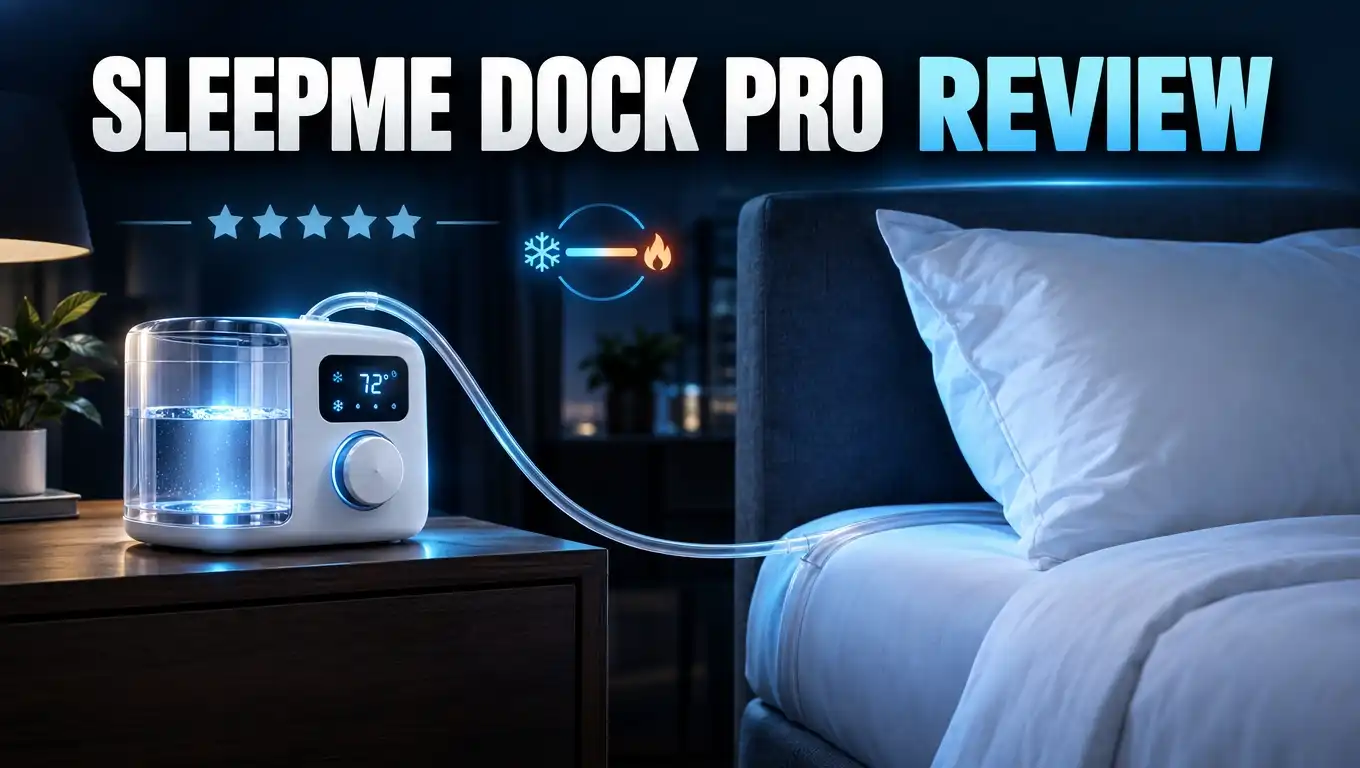
The system has two main parts. The first part is the Dock Pro control unit. This small box holds water, a pump, and a cooling and heating engine. The second part is the Chilipad Pro mattress pad. Thin water channels run through this pad.
The control unit sends water at your chosen temperature through a 7 foot hose. The water flows through the pad under your body. Then it goes back to the unit to be cooled or heated again. It works like a thermostat for your bed.
You can buy the Dock Pro in two main setups. The “Me” version covers one side of the bed with one control unit. The “We” version covers the full bed with two control units, one for each sleeper.
This product is not a cooling gel topper. Gel toppers feel cool for a few minutes and then warm up. The Dock Pro actively removes heat all night long. That is the big difference.
In 2026, Sleepme renamed this model to Chilipad 1.0. The goal was to line it up with the new Chilipad 2.0. So if you see “Chilipad 1.0” online, it is the same Dock Pro system covered in this review.
Sleepme Dock Pro

- OUR COLDEST SLEEP SYSTEM: The Dock Pro Sleep System has industry-leading cooling capacity with nearly 2x...
- IMPROVED COOLING POWER: Boosted by the increased temperature-regulating surface area of the Chilipad Pro...
Last update on 2026-11-19 / Affiliate links / Images from Amazon Product Advertising API
The Sleepme Dock Pro packs a lot of power into a small box. Each control unit provides about 95 watts of cooling power. That is enough to make the pad feel really cold within minutes.
Here are the main features you get. The temperature range runs from 55°F to 115°F. You get physical buttons on each unit and full control through the Sleepme app. You can build sleep schedules that change the temperature during the night.
The control unit is short and slim. It fits under most bed frames that have at least 6.25 inches of clearance. This keeps your bedroom neat. It also means fewer cords and boxes to trip over at night.
The Chilipad Pro pad is soft and thin. It does not change the feel of your mattress much. You can machine wash the pad, which is a big plus over some competitors.
The Dock Pro also has an Airplane Mode. Hold the power button for five seconds and the WiFi turns off. This is great for people who worry about EMF near their bed.
The full “We” bundle includes the mattress pad, two Dock Pro units, two 7 foot hoses, two power cords, a bottle of cleaner, and a quick start guide. Everything you need comes in one box. No tools are required.
Sleep tracking is an optional add on. You can skip it to save money. The system still cools and heats perfectly without it.
How Does Setup Work?
Setting up the Dock Pro is easier than most people expect. Most testers finish the physical setup in under 20 minutes. You do not need any tools.
First, put a mattress protector on your mattress. Then stretch the Chilipad Pro pad over the mattress like a fitted sheet. Many users add a second protector over the pad to keep it clean.
Next, decide where the hoses will come out. You can run them from the head or the foot of the bed. The foot of the bed makes it easier to reach the units for refills.
Clip one end of the hose into the connector inside the pad’s flap. Plug the other end into the back of the control unit. Then plug the 6 foot power cord into a wall outlet.
Now fill the water tank. Add the included cleaning solution first. Sleepme suggests distilled water. One long term tester says Sleepme told them filtered water also works, which saves money.
The last step is the app. Download the Sleepme app, make an account, and connect each unit. Here is the one catch. The Dock Pro only works on a 2.4 GHz WiFi network. Some routers mix 2.4 GHz and 5 GHz bands together.
If your phone will not connect, check your router settings. Turn on a separate 2.4 GHz band. One reviewer fixed this problem in about 15 minutes. After that, the app worked fine.
The pad may look a little bunched up at first. Smooth it out with your hands. It settles well after a night or two.
Cooling and Heating Performance
This is the most important part of any bed cooling system. Good news: the Dock Pro performs very well. Testers agree it is one of the most powerful systems on the market.
In one 365 night test, the room stayed at 70 to 72°F. The Dock Pro cooled the bed surface to the low 60s in about 10 to 15 minutes. The cooling stayed steady through the whole night. It did not fade like cooling gel.
Many users say the Dock Pro feels colder than the Eight Sleep Pod. The thin pad puts the cold water closer to your body. One tester could not sleep below 72°F because it felt too cold. So you will likely never need the lowest setting.
Heating is just as impressive. In winter, the pad warms up fast. You can switch it on a few minutes before bed and climb into a toasty bed. People with cold feet love this feature.
Hot sleepers and people with night sweats see the biggest benefit. Night sweats often happen even in a cool room. The Dock Pro cools the bed surface directly, so it works better than a fan or lower thermostat.
There is one small issue. With dual zones, the temperatures can mix in the middle of the bed. If one side is set very cold and the other is off, your partner may feel some cold near the center. Keep settings moderate to reduce this.
Overall, the cooling and heating power is the Dock Pro’s strongest point.
Top 3 Alternative for Sleepme Dock Pro
The Dock Pro is great, but it is not the only option. Some people want a lower price. Others want less noise or less upkeep. Here are three strong alternatives to consider.
Chilipad Cube Bed Cooling System

- No More Night Sweats: This original Chilipad bed cooling system is designed to make your existing...
- Water-Based System: Use water to regulate the surface temperature of your existing mattress by actively...

Last update on 2026-11-19 / Affiliate links / Images from Amazon Product Advertising API
The Chilipad Cube is Sleepme’s simpler and cheaper system. It also uses water to cool or heat your bed. You control it with a basic remote instead of a smart app.
The Cube is perfect if you want one temperature all night. It skips the fancy schedules. It is bulkier than the Dock Pro, and it does not reach the same cooling power. But it costs much less.
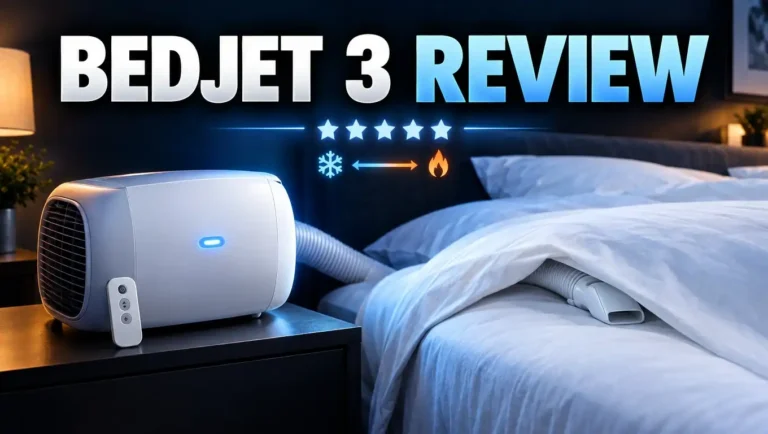
BedJet 3 Climate Comfort System

- Sleep better with on-demand cooling, warming and sweat drying comfort right in your bed, works on any...
- Powered ventilation cooling rapidly wicks body heat and moisture out of the bed for awesome cooling...
Last update on 2026-11-19 / Affiliate links / Images from Amazon Product Advertising API
The BedJet 3 uses air instead of water. It blows cool or warm air under your sheets. Its range runs from about 54°F to 118°F.
BedJet has a big advantage: no water means no leaks and no refills. It also dries sweat fast. It costs very little to run in cooling mode. The downside is the air hose and the moving air, which some people dislike.
Sleepme OOLER Sleep System

- WIDEST TEMPERATURE RANGE: Our water-based system will cool or warm your bed to your ideal sleep...
- FITS ANY BED: Our mattress topper conforms to any size mattress from a queen to a cal king, even...
Last update on 2026-11-19 / Affiliate links / Images from Amazon Product Advertising API
The OOLER sits between the Cube and the Dock Pro. It uses water and offers app control with schedules. It also has a warm awake feature that gently heats the bed in the morning.
Many owners say the Dock Pro cools faster and colder than the OOLER. Still, the OOLER is a solid smart option if you find it at a good price.
App Controls, Schedules, and Physical Buttons
The Dock Pro gives you two ways to control it. You can use the Sleepme app, or you can use the buttons on each unit. This is a big plus.
Each control unit has three simple buttons. One turns the power on or off. Two others raise or lower the temperature. These buttons help if your phone is off at night or if you go to bed early.
The app has a large, easy dial. Spin it to pick your temperature. You can also switch between Fahrenheit and Celsius.
The best app feature is sleep scheduling. You can make a different program for weekdays and weekends. The app suggests two temperature changes during the night. First, it drops the temperature about 30 minutes after bedtime for deep sleep. Later, it raises the temperature a bit for REM sleep.
There is also a thermal alarm. It warms the bed about 15 minutes before your wake time. This helps you wake up gently without a loud alarm. Tip: the default warm setting is high, so lower it to your liking.
You can also add your own manual temperature changes during the night. Most people find the two default changes are enough.
Expect a few nights of trial and error. Your perfect temperature may not match what you expect. Once you find it, you can set it and forget it until the season changes.
Noise and Comfort
Every bed cooling system makes some noise. The Dock Pro is no exception. The fan inside each unit creates a steady, low hum.
One tester measured 41.2 dBA for one unit and 44.9 dBA for two units from one meter away. That is about the level of a quiet fan. It sits in the middle of the pack against its rivals.
Here is a nice detail. The sound stays the same on every setting. It does not get louder when cooling hard. Many people find the steady hum works like white noise. Placing the units under the bed also lowers the sound.
Light sleepers who need total silence may struggle. Earplugs solve this for most people. Some users also hear a little bubbling on the first night. This usually stops after the air leaves the system.
Now let us talk comfort. The Chilipad Pro pad is soft and thin. Unlike some thicker pads, it does not make your mattress feel firmer. If you run your hand over it, you can feel the grid of water channels.
With a mattress protector and sheet on top, most people do not feel the channels at all. If you are extra sensitive, add a thin blanket between the pad and your fitted sheet. After a few nights, many users forget the pad is there.
Maintenance and Water Refills
This is the area where the Dock Pro asks the most from you. Maintenance is the biggest complaint in long term reviews.
The water tank in each unit is small. One tester refilled each tank about twice a month. Compare that to the Eight Sleep Pod, which needed refills only a few times a year. The tank lid can also be a little stiff to twist off.
The user manual lists monthly, quarterly, and semiannual tasks. Monthly, you clean the reservoir. You also add Sleepme cleaning solution to keep the water fresh. The app sends reminders, which helps.
The biggest job is draining the full system. You use a small draining tool that comes in the box. Do not throw this little part away! Drain the units over a sink. Then drain the pad, ideally over a shower rod or bathtub.
Draining the pad can take around ten minutes. It is easier with a helper. After that, you can toss the pad in the washing machine. The machine washable pad is a big win.
Is the upkeep hard? Not really. It is just regular. Think of it like caring for a coffee maker. If you hate any kind of upkeep, an air based system like the BedJet may suit you better.
The good news is reliability. One reviewer used the Dock Pro for over 10 months with no leaks and no loose connections. Another tester passed the 365 night mark with steady performance.
Price, Trial, and Warranty
The Dock Pro is a premium product, and the price shows it. Prices depend on bed size, single or dual zone, and add ons.
Here are some example prices from one review. A half king, single zone (“Me”) system cost about $1,349. A king size, dual zone (“We”) system cost about $1,999. Sleep tracking costs extra, and extended coverage adds more.
Prices change often during the year. Sleepme runs sales on holidays, and Amazon prices can drop too. Since the Chilipad 2.0 launched, the Dock Pro may see bigger discounts. Check current prices before you buy.
Running costs are worth noting. One UK tester found that one side cooling and one side heating cost about £206 per year on their power rate. That is more than the Eight Sleep. Still, it costs less than running air conditioning all night.
There is no monthly subscription. In May 2025, Sleepme removed the membership fee for sleep tracking. The company told a reviewer this change is permanent. Your only ongoing cost is cleaning solution and power.
Sleepme offers a 30 night trial. This gives you time to test it in your own bed. If it does not work for you, you can send it back.
Warranty coverage depends on your purchase. Sleepme has offered extra coverage that extends protection. Read the warranty terms on the seller page before you checkout.
Pros and Cons
Here is a clear look at the good and the bad.
Pros
- Strong cooling and heating. The pad reaches your target temperature in about 10 to 15 minutes and holds it all night.
- Dual zone control. Each partner sets their own side, which ends the nightly temperature fight for couples.
- Wide temperature range. You can choose anything from 55°F to 115°F, which covers every season.
- No subscription fees. You get full app features, schedules, and optional sleep tracking with no monthly cost.
- Physical buttons plus app. You can change the temperature without picking up your phone.
- Slim control units. They fit under beds with about 6.25 inches of clearance, so your room stays tidy.
- Soft, machine washable pad. It barely changes how your mattress feels and is easy to keep clean.
- Airplane Mode. You can turn off WiFi near your bed with a simple button press.
Cons
- Steady fan noise. The hum of 41 to 45 dB can bother very light sleepers.
- Frequent refills. The small tanks need water about twice a month.
- Regular maintenance. You must clean the system monthly and drain it a few times a year.
- 2.4 GHz WiFi only. You may need to change your router settings to connect.
- Two units for dual zones. You need space for two boxes and two hoses.
- High upfront price. A full king system with add ons gets expensive.
Dock Pro vs Eight Sleep Pod
Many shoppers compare the Dock Pro with the Eight Sleep Pod. Both use water to cool and heat the bed. But they differ in key ways.
The biggest difference is cost over time. Eight Sleep requires a paid membership for many smart features. The Dock Pro has no subscription at all. Over a few years, this saves you a lot of money.
The Dock Pro also costs less upfront. One review noted the Eight Sleep Pod 4 king cost about $2,799, while the Dock Pro king dual zone cost about $1,999. Plus, you can buy just one side of the Dock Pro to save even more.
The Dock Pro units are smaller. They slide under most bed frames. The Eight Sleep hub is often too tall to fit under a bed. However, Eight Sleep uses one hub for both sides, while the Dock Pro needs two.
For cooling power, testers rate them about equal. Some say the Dock Pro feels colder because of its thinner pad. The Dock Pro pad is also softer and machine washable.
Eight Sleep wins in a few areas. It has better health data, a vibrating alarm, and AI temperature changes. It also needs much less maintenance and fewer refills. Some users say the Eight Sleep is quieter too.
Choose the Dock Pro if you want strong cooling, no fees, and a lower price. Choose Eight Sleep if you want deep sleep data and less upkeep, and you do not mind a monthly fee.
Who Should Buy the Sleepme Dock Pro?
The Dock Pro is not for everyone. But for some sleepers, it can change their nights completely.
Hot sleepers are the top match. If you kick off the covers and flip your pillow all night, this system helps. It pulls heat away from your body before you wake up.
People with night sweats also benefit a lot. This includes people going through menopause or those on some medications. The steady cooling can mean fewer wake ups and dry sheets.
Couples with different needs will love the dual zone setup. One partner can sleep cool while the other sleeps warm. No more fighting over blankets or the thermostat.
Athletes and biohackers often use the Dock Pro for recovery. Cool sleep may help them get better deep sleep after hard training days.
People who hate subscriptions should take a close look. The Dock Pro gives you everything with no monthly fee.
Now, who should skip it? If you need complete silence, the fan hum may bother you. If you hate upkeep, the refills and cleaning may feel like a chore. If your budget is tight, the Chilipad Cube or BedJet may fit better.
Also think about the Chilipad 2.0. It has a nightstand remote, a quieter pump, and a new cover. If you want the newest model, compare both. If you find the Dock Pro at a big discount, it is still a great value.
Final Verdict
So, is the Sleepme Dock Pro worth it? For most hot sleepers and couples, yes, it is worth it.
The Dock Pro does its main job very well. It cools fast. It heats fast. It holds your chosen temperature all night long. Long term testers used it for 10 months to over a year with no major problems.
The lack of a subscription makes it stand out. You pay once and get every feature. In a market full of monthly fees, that feels refreshing.
The slim units, soft washable pad, physical buttons, and Airplane Mode all add real value. These small details make daily use simple and pleasant.
Still, be honest with yourself about the downsides. The fan hum is real. The refills are frequent. The maintenance never fully goes away. If any of these sound like deal breakers, look at the BedJet 3 or Eight Sleep instead.
The launch of the Chilipad 2.0 changes the picture a little. New buyers should compare both models. But the Dock Pro is still a proven, powerful system. A sale price makes it even more attractive.
My advice is simple. Use the 30 night trial. Test a few temperatures. Set up a schedule. Within a couple of weeks, you will know if it fits your life. For many people, a cool, comfortable bed every night is worth every penny.
Frequently Asked Questions
Is the Sleepme Dock Pro the same as the Chilipad 1.0?
Yes. In 2026, Sleepme renamed the Dock Pro to Chilipad 1.0. It is the same product. The name change separates it from the new Chilipad 2.0.
How cold can the Dock Pro get?
The Dock Pro cools down to 55°F and heats up to 115°F. Most hot sleepers feel comfortable between about 58°F and 65°F. Others prefer it warmer.
Does the Dock Pro need a subscription?
No. Sleepme removed the sleep tracking membership fee in May 2025. You get full app control with no monthly cost.
How loud is the Dock Pro?
One unit measures about 41 dBA, and two units measure about 45 dBA. That sounds like a quiet fan. The noise stays the same on every setting.
How often do I need to refill the water?
Many users refill each tank about twice a month. Use distilled or filtered water, plus the Sleepme cleaning solution.
Will the Dock Pro work with any mattress?
Yes. The pad fits over most mattresses like a fitted sheet. It also works with adjustable bases. You need about 6.25 inches of clearance to slide the units under your bed.
Can couples use different temperatures?
Yes. The dual zone “We” version uses two units. Each sleeper controls their own side. Temperatures can mix a little in the middle at extreme settings.
Is there a trial period?
Yes. Sleepme offers a 30 night trial, so you can test it at home. Check the return terms with your seller before you buy.

DK is the founder of Deep Slumber Finds, where he combines a genuine passion for quality sleep with thorough product research to help readers make confident buying decisions. When he’s not testing mattresses or comparing pillows, you’ll find him exploring the latest sleep science and hunting down the best deals so you don’t have to.