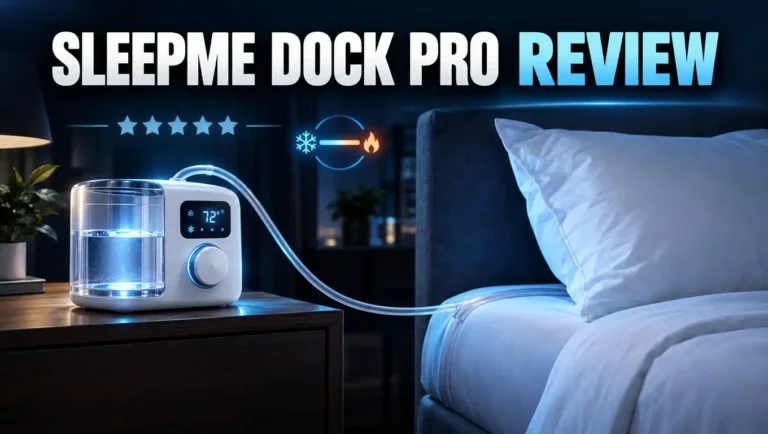
Chilipad 2.0 Review: No Subscription Bed Cooler Worth It?
Do you wake up at 3 a.m. with damp sheets and a hot pillow? You are not alone. Heat is one of the most common reasons people sleep badly.
The Chilipad 2.0 says it can fix that. It is a water powered mattress cover that cools your bed to 55°F or warms it to 115°F. It also has no monthly fee.
That is a big promise for a product that starts at $1,599. So does it deliver? This review covers the cooling power, the noise, the new bedside remote, and the price, plus three cheaper options. Stay with me to the end, because the dual zone section might save your relationship.
In a Nutshell
Here is the quick version for busy readers:
- Strong cooling and heating: The Chilipad 2.0 holds any temperature from 55°F to 115°F all night. Testers say it gets cold enough that they had to turn it up.
- Bedside remote: It ships with a physical remote for your nightstand. You change the temperature with a turn of the dial, so you don’t need your phone at night. The remote can also sense when you get into bed.
- Very quiet: SleepMe redesigned the pump, fan, and firmware. Reviewers who owned the older model call the 2.0 about four times quieter.
- No subscription, no WiFi needed: Every feature is free forever. Airplane Mode runs your schedule offline, so you don’t depend on the cloud.
- Great for couples: Dual zone setups use two separate docks and two Hydrolayers. One side can be icy while the other stays toasty.
- Main downsides: The upfront cost is high, there is no sleep tracking, and you need to top it up with distilled water about once a week.
What Is the Chilipad 2.0?
The Chilipad 2.0 is a bed cooling and heating system made by SleepMe, the company formerly called ChiliSleep. It is the newest member of the Chilipad family.
The lineup started with the Chilipad Cube, a simple entry model. Next came the Chilipad 1.0, better known as the Dock Pro. SleepMe is now phasing out the 1.0 in favor of the 2.0.
The 2.0 keeps the same idea as the older models. A thin pad sits on your mattress, and temperature controlled water flows through it all night.
What changed is almost everything else. SleepMe rebuilt the dock, the cover, the remote, and the software. The company says it based these changes on real customer feedback.
The system works on any mattress. It also fits most bed frames, because the dock is only 6.25 inches tall and slides under the bed.
The 2.0 also comes in more sizes than before. You can buy Twin XL, Full, Queen, King, Cal King, and Split King options. You can also buy it for just one side of the bed.
That last point matters if you sleep alone. Most cooling systems make you pay for the whole mattress. With the Chilipad 2.0, single sleepers pay only for the half they use.
In short, it is a premium sleep tool for hot sleepers, cold sleepers, and couples who never agree on the thermostat.
How the Chilipad 2.0 Works
The system has four main parts: the dock, the Hydrolayer, the cover, and the remote. Each part does one simple job.
The dock is the engine. It heats or chills distilled water and pumps it through a hose. You can place it on the floor or slide it under the bed.
The Hydrolayer is the thin pad with tiny water channels inside. It slides into a zippered, washable cover that fits over your mattress like a fitted sheet.
Your regular fitted sheet goes on top. So you sleep on your normal bedding, and the cooling happens quietly underneath.
You pick a target temperature, and the dock holds it. If you set 66°F, the water stays near 66°F all night. One tester said 66°F really feels like 66°F.
Water moves heat much better than air does. That is why water based systems feel stronger than fan based coolers or cooling gel toppers.
You can also make a sleep schedule in the app. For example, you can start the night cold, warm up slightly at 3 a.m., and get warmer before your alarm.
This matches how your body works. Doctors note that your core temperature drops as you fall into deep sleep. A cool bed helps that drop happen more easily.
Many people find they wake up less once heat stops pulling them out of deep and REM sleep.
Chilipad 2.0 Key Features
Here are the features that make the Chilipad 2.0 stand out.
First is the temperature range. It goes from 55°F to 115°F. That is a wider heating range than many rivals, so the system is useful in winter too.
Second is the industry first nightstand remote. It looks like a small modern clock. You turn its head left or right to change the temperature, and the screen goes dark after a few seconds.
Third is in bed detection. The remote can tell when you lie down and start your schedule automatically. This feature is optional, so you can turn it off.
Fourth is the redesigned dock. It has a quieter pump, a larger water tank, and a water tight lid that stops spills when you pull the tank out.
Fifth is the new cover. It is machine washable and has a built in mattress protector, so you can skip buying a separate one.
Sixth, SleepMe includes a full year of cleaning solution. You get 12 doses, one for each month.
Finally, there is no subscription and no WiFi requirement. The system is also HSA and FSA eligible in many cases, which can lower your real cost.
Top 3 Alternative for Chilipad 2.0
The Chilipad 2.0 is excellent, but it is not cheap. These three options cost less or work in a different way.
1. Chilipad Cube Bed Cooling System

- No More Night Sweats: This original Chilipad bed cooling system is designed to make your existing...
- Water-Based System: Use water to regulate the surface temperature of your existing mattress by actively...

Last update on 2026-11-16 / Affiliate links / Images from Amazon Product Advertising API
The Chilipad Cube is SleepMe’s entry level model. It also uses water to cool or heat your bed, so the feel is similar.
It uses simple buttons and a basic remote instead of a smart app. It is a good pick if you want water cooling on a smaller budget.
2. BedJet 3 Climate Comfort System

- Sleep better with on-demand cooling, warming and sweat drying comfort right in your bed, works on any...
- Powered ventilation cooling rapidly wicks body heat and moisture out of the bed for awesome cooling...
Last update on 2026-11-16 / Affiliate links / Images from Amazon Product Advertising API
The BedJet 3 blows cool or warm air under your sheets. It reacts in seconds and does not use water at all.
It also dries sweat fast, which helps people with night sweats. However, air cooling feels weaker than water cooling, and the fan is louder.
3. Sleepme Dock Pro (Chilipad 1.0)

- OUR COLDEST SLEEP SYSTEM: The Dock Pro Sleep System has industry-leading cooling capacity with nearly 2x...
- IMPROVED COOLING POWER: Boosted by the increased temperature-regulating surface area of the Chilipad Pro...
Last update on 2026-11-16 / Affiliate links / Images from Amazon Product Advertising API
The Dock Pro is the older version of the Chilipad. It cools and heats across the same 55°F to 115°F range.
It does not have the bedside remote or the quieter pump. Still, it can be a smart buy if you find it on sale while SleepMe phases it out.
Setup and Unboxing Experience
The Chilipad 2.0 arrives in one large box. Inside, each part comes in its own smaller box, so nothing gets damaged and everything is easy to find.
The box includes the cover, the Hydrolayer with four S hooks, the hose, the dock, the power cord, the cleaning system, a drain key, the remote, and a USB C cable and charger.
You do not need any tools. That is great news for anyone who avoids the toolbox.
First, strip your mattress. Next, put on the cover and secure the anchor bands under the corners. One tester said this is no harder than putting on a fitted sheet.
Then unzip the cover, slide in the Hydrolayer, and attach it with the S hooks. Make sure the hose connection faces the side where your dock will go.
After that, plug in the dock, connect the hose, and add the cleaning solution and distilled water. Plan on about one gallon per dock. Tap water can damage the machine over time.
Finally, download the app, register the device, and pair the remote. Have your WiFi password ready for this step. You can switch to Airplane Mode afterward.
Most testers finished setup in 20 to 30 minutes. One reviewer had a small pairing glitch with the remote. Unplugging the dock and plugging it back in fixed it in seconds.
Cooling and Heating Performance
This is the most important section, and the Chilipad 2.0 does very well here.
Reviewers keep saying the same thing: it gets very cold. One tester set it to 66°F and called his bed a walk in refrigerator. He actually had to raise the temperature on several nights.
Another tester lived in an apartment that reached 99°F during the day. She started at 61°F, found it too chilly, and settled on 63°F to 65°F. She also said she started dreaming again once her sleep improved.
The system reaches your target fast and holds it steady all night. Testers who switched from the older model say the temperature accuracy is just as good or better.
Heating gets less attention, but it works just as well. The 115°F maximum is higher than many competitors offer.
People who sleep cold love this. One reviewer’s wife runs cold, and on winter nights her side of the bed stayed warm without anyone touching the house heater.
Here is a helpful tip from testers. Start a few degrees warmer than you think you need, because the cooling feels stronger than the number suggests at first.
If you run hot from menopause, hormone changes, or a warm bedroom, this kind of cooling can make a real difference.
Noise Level
Noise was the biggest complaint about the older Dock Pro. Light sleepers said its pump sounded like a quiet fan running all night.
SleepMe clearly listened. The company optimized the pump, fan, and firmware in the 2.0 dock.
The results are impressive. One reviewer who used the 1.0 for over 250 nights said the 2.0 is so quiet that he sometimes checks whether it is running.
Another tester called the 2.0 roughly four times quieter than the 1.0. He described the sound as a soft, low hum.
The water itself is quieter too. On the old Chilipad, you could hear water moving through the pad if your ear was on the sheet. With the 2.0, testers heard nothing.
A New York Post tester said she never noticed the dock except when refilling it. Even her cat slept under the bed without any trouble.
So who might still notice it? If you need total silence to sleep, you may hear a faint hum in a very quiet room.
For most people, though, the sound blends into the background. A white noise machine or a ceiling fan will cover it completely.
The Bedside Remote and App
The remote is the most talked about upgrade in the Chilipad 2.0, and it deserves the praise.
With the old Dock Pro, you had to grab your phone to change the temperature. That meant a bright screen in your face in the middle of the night.
The 2.0 fixes this. You just reach over and turn the dial. No unlocking, no app, no blue light.
The remote also shows your room temperature and humidity. Its screen dims after a few seconds, so it won’t light up your bedroom.
One tester summed it up well. His wife woke up cold, and instead of opening an app, he told her to just turn the dial. Problem solved in two seconds.
The app is still useful for scheduling. You can set a starting temperature, a middle of the night change, and a wake up temperature.
Testers describe the app as clean, simple, and quick. It even has a fun quiz about your sleep type.
There is one weak spot. Setting up dual zones in the app can feel clunky. It works best when each partner uses their own account on their own phone.
Best of all, every app feature is free. No feature sits behind a paywall.
Dual Zone Comfort for Couples
Do you sleep hot while your partner sleeps cold? This is where the Chilipad 2.0 really shines.
The dual zone version uses two separate docks and two separate Hydrolayers. Each side runs on its own temperature and its own schedule.
One tester ran his side at 67°F and his wife’s side at 85°F on the same night, in the same bed. Neither of them felt the other’s setting.
This setup can end the nightly thermostat battle. Instead of fighting over the house temperature, each person controls their own half.
It may even lower your energy bill. You won’t need to cool the whole house just to keep one hot sleeper happy.
There is another hidden benefit. Because each side has its own Hydrolayer, a partner who does not want cooling can skip the pad entirely.
That is great for picky sleepers who don’t want anything extra under their sheets.
The Chilipad 2.0 also works well with split adjustable bases. The Split King option uses two Twin XL halves, which fit neatly on split frames.
The main trade off is cost. Dual zone pricing starts around $2,800 for a Queen and around $3,200 for a King.
Comfort and Feel of the Hydrolayer
Many people worry that a water pad will feel lumpy. With the older Dock Pro, that worry was fair.
Sensitive sleepers could feel the tubing in the 1.0 cover. One reviewer said it felt like sleeping on a thin net.
The 2.0 uses a redesigned Hydrolayer that feels much smoother. Several testers said they forgot it was there after a few nights.
One reviewer said his wife disliked the old pad’s feel. With the 2.0, she had no adjustment period at all.
Other testers did notice the pad on the first night. A New York Post editor said it felt thin, like a mattress topper, only more fluid.
So expect a short break in period if you are very sensitive. Most people stop noticing the pad by the second or third night.
Here is a simple tip. Use a snug fitted sheet over the cover. A tight sheet hides any small wrinkles or ridges.
The pad does not change your mattress firmness in any real way. Your mattress still provides the support, and the Hydrolayer just adds temperature control on top.
Maintenance and Cleaning
Every water based system needs a little care. The good news is that the Chilipad 2.0 keeps the work small.
After the first setup, most testers top up the water about once a week. The tank is now larger than on the 1.0, so you refill it less often.
Refilling is also easier. You can pull the whole tank out, and the water tight lid stops spills. That helps a lot when the dock sits under the bed.
Always use distilled water only. Minerals in tap water can build up inside the system. A gallon of distilled water costs just a few dollars.
Cleaning is simple too. You add a cleaning solution to the water once a month. SleepMe includes 12 months of solution in the box.
The cover is machine washable. Just unzip it, remove the Hydrolayer, and toss the cover in the wash. Testers say it holds up well after repeated washing.
The built in mattress protector also guards against spills and leaks. You probably won’t have a leak, but it is nice to have that backup.
One more tip: route the hose carefully during setup so it doesn’t kink. A clean hose path means steady water flow and fewer problems later.
Chilipad 2.0 vs Chilipad 1.0
If you already own a Dock Pro, should you upgrade? Let’s compare.
Both models share the same 55°F to 115°F range and neither charges a subscription. Both have washable covers.
The 2.0 wins in almost every other area. It adds the physical bedside remote, which the 1.0 never had. It also adds in bed detection.
Noise drops sharply. The 1.0 sounded like a quiet fan, while the 2.0 is close to silent.
The 2.0 also feels better. Its Hydrolayer is smoother, and its cover includes a built in mattress protector.
Setup is easier as well. The 1.0 required the app, while the 2.0 lets you set up directly on the dock if you prefer.
The 2.0 also adds Full and Twin XL sizes, includes free cleaning solution, and uses US assembled electronics.
So here is the bottom line. If your 1.0 works fine and the noise doesn’t bother you, there is no urgent need to switch.
But if you are buying new, the 2.0 is the clear choice. The 1.0 is being phased out, so stock and support may shrink over time.
Pricing, Warranty, and Trial
The Chilipad 2.0 starts at $1,599 on the SleepMe website for a single zone, half bed setup. Prices rise with size.
Reported prices vary a little between sources and sales. Here is a rough guide:
- Single zone Twin XL or half Full: about $1,599 to $1,600. This works well for solo sleepers on smaller beds.
- Single zone half Queen or Queen: about $1,699 to $1,900, depending on size and current deals.
- Single zone half King or King: about $1,799 to $2,100. This suits a solo sleeper on a large bed.
- Dual zone Queen: about $2,800 to $2,998. Couples get two docks and two independent zones.
- Dual zone King or Cal King: about $3,200. This is the top option for couples who want full control.
SleepMe offers a 30 night sleep trial. That gives you a month to test it in your own bed.
SleepMe’s product page lists a 2 year warranty. Some reviewers mention a 1 year warranty with an optional protection plan, so check the terms when you buy.
Now consider long term cost. Some rivals charge $199 to $399 a year for app features. Over five years, the Chilipad’s zero subscription model can save you $1,000 or more.
Pros and Cons
Here is a balanced look at the good and the bad.
Pros
- Powerful cooling: It gets cold enough that many testers had to turn the temperature up.
- Wide heating range: It warms up to 115°F, which helps cold sleepers in winter.
- Bedside remote: You change the temperature at night without picking up your phone.
- Very quiet operation: It is roughly four times quieter than the older Dock Pro.
- No subscription ever: Every feature stays free after you buy it.
- Works offline: Airplane Mode runs your schedule without WiFi.
- True dual zone: Each partner gets their own dock, pad, and temperature.
- Easy care: The cover is washable and has a built in mattress protector, and a year of cleaning solution comes in the box.
Cons
- High upfront price: It starts at $1,599, and dual zone setups cost close to $3,000 or more.
- No sleep tracking: You don’t get sleep scores or morning reports like some rivals offer.
- Water upkeep: You need distilled water and a weekly top up.
- Clunky dual zone app setup: Pairing two users can take a few extra steps.
- Slight pad feel at first: Very sensitive sleepers may notice the Hydrolayer for a night or two.
Who Should Buy the Chilipad 2.0?
The Chilipad 2.0 is a big purchase, so let’s be clear about who it suits.
It is a great fit for hot sleepers who wake up sweaty. The strong water cooling targets this problem directly.
It also helps people with night sweats. That includes people in perimenopause or menopause, people dealing with hormone changes, and some men with dropping hormone levels.
Couples with different temperature needs may benefit the most. The dual zone setup lets each person sleep the way they like.
It suits people who hate subscriptions too. You pay once and own every feature.
It is also good for anyone with an adjustable base. The Split King option fits split frames well.
Now, who should skip it? If you don’t sleep hot or cold, you don’t need it. Better sheets may be enough.
Skip it if you want detailed sleep data. The Chilipad 2.0 has no sleep tracking.
Skip it if you don’t want another device to look after. You will need to refill water and run cleaning cycles.
Finally, if your budget is tight, look at the Chilipad Cube or BedJet 3 in the alternatives section above.
Final Verdict
So, is the Chilipad 2.0 worth it? For the right person, yes.
It cools hard, heats well, and runs almost silently. The bedside remote fixes the biggest annoyance of the older model.
The no subscription model is a major win. Many rivals keep charging you every year, but the Chilipad does not.
Testers across several outlets agree. One gave it a 9 out of 10, and another called it a true generational upgrade, not a cosmetic refresh.
The price is the main hurdle. But you can spread the cost with HSA or FSA funds, and the 30 night trial lowers your risk.
The missing sleep tracking is the only real gap. If you care more about great sleep than sleep data, you won’t miss it much.
My advice is simple. If heat ruins your nights, or if you and your partner fight over the thermostat, the Chilipad 2.0 is one of the best bed cooling systems you can buy right now.
FAQs
Does the Chilipad 2.0 need a subscription?
No. SleepMe dropped all subscription fees in May 2025. Every feature, including schedules and dual zone control, is free.
What temperature range does the Chilipad 2.0 offer?
It cools down to 55°F and heats up to 115°F. Most hot sleepers settle between 63°F and 67°F.
Does the Chilipad 2.0 need WiFi?
You need WiFi for the first setup in the app. After that, you can use Airplane Mode, the remote, or the dock buttons without internet.
How often should I refill the water?
Most users top it up about once a week. Always use distilled water to protect the system.
Is the Chilipad 2.0 loud?
No. Testers describe it as a soft hum that is much quieter than the older Dock Pro. Most people stop hearing it.
Can I feel the pad through my sheets?
Some people notice it on the first night. Most stop noticing it within two or three nights, especially with a snug fitted sheet.
Is the Chilipad 2.0 sold on Amazon?
I could not find an official Amazon listing during research. SleepMe sells it directly on sleep.me.
Does the Chilipad 2.0 work with adjustable beds?
Yes. The Split King option uses two Twin XL halves that fit split adjustable bases.
Is there a trial period?
Yes. SleepMe offers a 30 night sleep trial, so you can test it at home before you fully commit.
Can I use HSA or FSA funds?
In many cases, yes. The Chilipad 2.0 is listed as HSA and FSA eligible, but check with your plan provider first.

DK is the founder of Deep Slumber Finds, where he combines a genuine passion for quality sleep with thorough product research to help readers make confident buying decisions. When he’s not testing mattresses or comparing pillows, you’ll find him exploring the latest sleep science and hunting down the best deals so you don’t have to.