
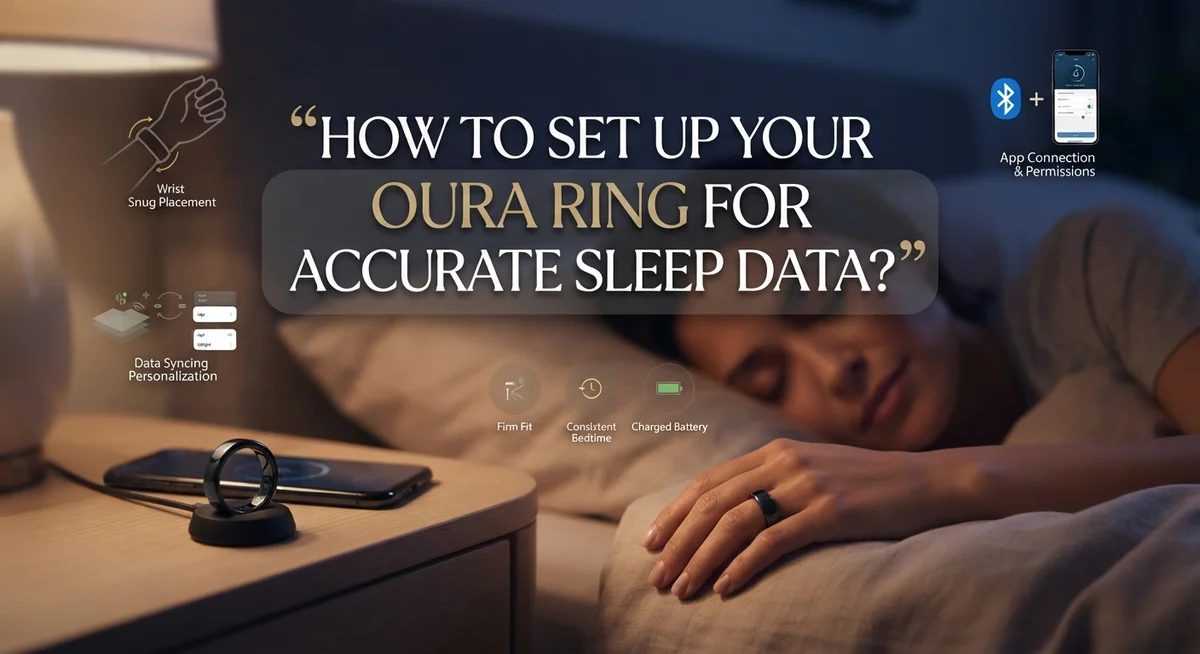
How to Set Up Your Oura Ring for Accurate Sleep Data?
Your Oura Ring can tell you so much about your sleep. But only if you set it up the right way.
Many people unbox their ring, charge it once, and wear it to bed. Then they wonder why their sleep data looks incomplete or strange.
The truth is simple. Accurate sleep tracking depends on a few key steps. Battery charge, proper fit, and consistent wear all play a role.
This guide walks you through the entire setup process. You will learn how to pair your ring with the app and get it ready for its first night.
We will also cover the exact conditions your ring needs to track sleep stages correctly. This includes battery levels, wear time, and even your bedroom environment.
By the end, you will know how to avoid the most common mistakes. These are the same mistakes that cause gaps in sleep data or confusing results.
Whether you just got your ring or want to fix tracking issues, this article has you covered. Let us get your Oura Ring working exactly the way it should.
In a Nutshell
Here is a quick summary to get your ring ready for accurate sleep tracking.
-
Set up the app first. Download the Oura App, plug in the charger, and place your ring on it. Wait for the LED to blink blue before pairing.
-
Charge before bed. Your ring needs at least 30% battery to track a full night of sleep. Low charge is a top reason for missing data.
-
Wear it correctly. A snug, proper fit lets sensors read your body accurately. Loose or incorrect placement leads to gaps in your data.
-
Sleep long enough. Oura needs a minimum of three hours between 6 PM and 6 AM to detect sleep stages. Shorter naps will not register properly.
-
Cool your room down. A cooler bedroom helps your body settle into deeper sleep stages. This makes your data more reliable.
-
Stay consistent. Wear your ring every night, not just occasionally. Inconsistent use is the biggest cause of incomplete sleep reports, not a setup problem.
Initial Setup: Unboxing, Charging, and Pairing Your Oura Ring
When you open your Oura Ring box, you’ll find the ring itself, a charging dock, and a USB cable. Take a moment to inspect everything before you start. Make sure nothing looks damaged during shipping.
Download the app first. Search for the official Oura app on your phone’s app store. Create your account and log in. The app guides you through each setup step, so follow along carefully. This app is where you’ll see all your sleep data later.
Plug in the charger. Connect the USB cable to the charging dock, then plug it into a wall outlet or computer. You’ll see a light indicator on the dock. A blue LED tells you the charger is ready to work.
Place your ring on the charger. The ring sits on top of the dock in a specific position. The sensors on the ring need to make contact with the metal pins on the charger. Make sure it sits flat and centered.
Wait for the Bluetooth signal. Once your ring charges, the LED will blink blue when it’s ready to pair. This usually takes a few minutes. You’ll see a notification on your phone asking to connect.
Enable Bluetooth on your phone. Go to your phone’s settings and turn on Bluetooth. This lets your ring talk to the app. The pairing process is automatic once Bluetooth is active.
Charge fully before wearing. Let your ring charge for at least two hours before bed. A full charge gives you the best battery life for sleep tracking. A ring with low battery won’t record sleep stages properly, so this step matters.
Test the fit on your finger. Once paired, wear the ring on your index, middle, or ring finger. It should feel snug but not tight. Your skin should touch the sensors underneath for accurate readings.
How Oura Tracks Sleep: Understanding Sleep Stages and Data Intervals
Your ring divides sleep into small time blocks to give you accurate information. Understanding how this works helps you get better data from your device.
The ring classifies your sleep into five minute intervals throughout the night. Each interval gets labeled as one of three states: awake, light sleep, or deep sleep. This breakdown lets you see exactly when your body moves between different sleep stages. The more complete data you collect, the better your sleep patterns become.
Sleep stage detection only happens during specific hours. Your ring will track sleep stages between 6 PM and 6 AM. Outside this window, the ring still records data but won’t classify it into sleep stages. This means a 2 AM nap won’t show sleep stage details, but a midnight bedtime will. Plan your sleep schedule with this window in mind for the most useful tracking.
Your ring needs at least three hours of continuous wear between those hours to detect sleep stages. A one hour nap won’t trigger stage detection. A full night gives you the complete picture of your sleep quality. Shorter sleep periods may not provide enough data to show meaningful patterns.
Sensor contact matters for every interval. When your ring sits loose on your finger, it misses data points. A snug fit ensures the sensors read your heart rate and body temperature consistently throughout the night. Even one loose hour can create gaps in your sleep stage data.
Battery level affects interval tracking too. A low battery causes the ring to skip data collection or stop recording mid sleep. This creates incomplete intervals and missing sleep stage information. Charging to at least 30% before bed prevents these gaps.
Understanding these intervals and requirements helps you troubleshoot tracking problems. If your sleep data looks incomplete, check your battery level and ring fit first. These two factors solve most data collection issues.
Getting the Right Fit: Why Proper Ring Placement Matters
Your ring’s placement on your finger directly affects how well it reads your body signals. The sensors inside need consistent contact with your skin to measure heart rate, body temperature, and movement patterns accurately throughout the night.
Wear your ring on your index, middle, or ring finger for the best results. These fingers have enough tissue and blood flow to give clear readings. Avoid wearing it on your pinky or thumb, as these areas don’t provide reliable sensor contact.
The fit should feel snug but not tight. You want the ring to stay in one spot without rotating or sliding around. If it moves during sleep, the sensors lose contact with your skin, creating gaps in your data. A loose ring means missed readings during crucial sleep stages.
Check the fit by sliding one finger underneath the ring. You should feel slight resistance but no pain or numbness. If you wake up with marks on your finger or tingling sensations, loosen it slightly. If it spins freely, tighten it a notch.
Your ring size matters more than you might think. An incorrectly sized ring won’t sit properly, no matter how much you adjust it. If your ring feels uncomfortable or keeps slipping, you may need a different size. Check the fit before bed each night to catch any positioning issues early.
Consistency in placement is key to accuracy. Wear your ring on the same finger every night. Switching fingers changes how the sensors read your body, creating inconsistent data patterns. Your body also needs time to adjust to the ring’s presence, so wearing it consistently helps the sensors learn your normal patterns.
Poor placement causes the most common tracking problems. Before bed, take a moment to verify your ring sits properly and feels secure. This simple habit ensures your sleep data stays accurate night after night.
Battery and Wear Requirements for Reliable Sleep Tracking
Your ring’s battery level directly impacts sleep tracking quality. Charge your ring to at least 30% before you go to bed. A low battery means your device may miss sleep intervals or stop tracking entirely during the night.
The charging dock uses a simple magnetic connection. Place your ring on the dock and wait for the LED to show a steady light. Most rings reach 30% charge in about 30 minutes, though a full charge takes roughly 60 to 80 minutes.
Check your battery percentage in the app before sleep. This takes just seconds and prevents tracking gaps. If you see the battery below 30%, charge for at least 30 minutes before wearing it to bed.
Consistent wear matters as much as battery level. Your ring needs at least three hours of continuous wear between 6 PM and 6 AM to detect sleep stages. If you remove the ring during this window, the tracking stops and restarts when you put it back on.
Wearing your ring every single night builds better data patterns. Your device learns your baseline sleep and improves accuracy over time. Occasional missed nights won’t ruin your data, but consistent wear gives you reliable insights.
Poor sensor contact causes many tracking failures that people blame on battery issues. Make sure the ring sits snug on your finger without cutting off circulation. The sensors on the inner surface need direct skin contact to read your heart rate and body temperature.
Temperature and comfort also influence sleep data quality. A cool bedroom and a comfortable bed reduce tossing and turning, which helps your ring stay in proper contact with your skin. These environmental factors don’t affect the device directly, but they improve the accuracy of what your ring records.
Remember that sleep data gaps usually come from low battery or inadequate wear time, not setup problems. Focus on these two basics and your tracking will stay accurate.
Optimizing Your Sleep Environment for Better Data Accuracy
Your bedroom environment plays a bigger role in sleep data accuracy than most people realize. The physical conditions around you directly affect how much you move during the night, which influences what your ring detects.
Keep your bedroom cool. Temperature matters because your body naturally cools down when you sleep. A room that’s too warm causes you to toss and turn more. Extra movement creates noise in your sensor data. Your ring struggles to distinguish between intentional position changes and restless fidgeting. Aim for a temperature range that feels comfortable for your sleeping style.
Optimize your bed comfort. A supportive mattress and quality pillows reduce unnecessary movement throughout the night. When you’re uncomfortable, you shift positions frequently. Each movement interrupts the ring’s ability to track your sleep stages accurately. You don’t need an expensive setup. You need something that keeps you still and supported for several hours.
Reduce light exposure. Darkness helps your body produce melatonin naturally. Better sleep quality means less tossing and turning. This stability improves your ring’s sensor readings. Consider blackout curtains or an eye mask if outside light enters your room.
Minimize noise and distractions. Sudden sounds wake you or cause micro arousals that your ring detects. These interruptions fragment your sleep data. Use white noise or earplugs if your environment is noisy.
Maintain consistent room conditions. Your body adapts to familiar sleep environments. Consistency helps you sleep deeper and more still. This stability gives your ring cleaner data to work with.
These environmental factors work together with your ring’s battery charge and proper fit. A cool, comfortable, quiet bedroom removes obstacles that prevent accurate sleep tracking. You’re essentially removing the noise from your data collection. Better conditions mean better insights into your actual sleep patterns.
Common Setup and Wear Mistakes That Skew Sleep Data
Your ring collects sleep data by measuring your skin temperature and heart rate every five minutes. When you make mistakes during setup or wear, these sensors cannot read your body signals accurately. Understanding what goes wrong helps you fix problems fast.
Low battery charge is the most common culprit. Your ring needs at least 30% battery before you go to sleep. When your battery drops below this level, the device stops tracking sleep stages. Many people think their ring is broken when it simply ran out of power. Check your battery percentage in the app before bed every night.
Inconsistent wear patterns confuse your ring’s learning system. If you wear your ring every night, it builds better patterns and recognizes your normal sleep rhythm. Skipping nights or wearing it on different fingers makes the data less reliable. Your ring adapts to your body over time, so consistency matters more than perfection.
Poor ring fit prevents proper sensor contact. Your ring must touch your skin firmly to read your heart rate and temperature. A loose ring shifts around and loses contact. A ring that is too tight cuts off circulation. Test your fit by sliding one finger underneath. You should feel slight resistance but no pain.
Wearing your ring less than three hours during the tracking window creates gaps. Your ring only counts sleep between 6 PM and 6 AM. If you put it on at midnight, you miss early sleep data. Put your ring on before you get into bed.
Manual data entry is not available. Unlike some apps, you cannot add sleep data if your ring was not worn. This means missing nights create permanent gaps in your history. Plan ahead and charge your ring during the day so it is ready when you sleep.
Troubleshooting Missing or Inconsistent Sleep Data
Missing or inconsistent sleep data usually points to a few specific issues. The most common problem is low battery charge. Your ring stops tracking if the battery drops below 30% before bed. Always check your battery percentage in the app before sleep to avoid gaps in your data.
Inconsistent wear patterns also create problems. If you skip nights or remove your ring frequently, the system struggles to learn your baseline sleep patterns. Wearing your ring every single night helps it recognize your normal sleep behavior more accurately.
Poor ring fit ranks as another major culprit. Your ring must make firm contact with your skin to read heart rate and temperature properly. If the ring sits too loose or too tight, sensor accuracy suffers. Check that your ring fits snugly but comfortably on your finger.
Insufficient wear time during the tracking window causes data gaps too. Your ring only detects sleep between 6 PM and 6 AM. You need at least three continuous hours of wear during this window for the system to register sleep data. Putting your ring on right before bed might not give enough time for detection.
Environmental factors also matter. A bedroom that’s too warm or a bed that’s uncomfortable increases tossing and turning. Your ring interprets excessive movement as wakefulness, which skews your sleep stage data. Keep your room cool and optimize your mattress and pillows for comfort.
If data gaps persist after checking these items, try removing and reinserting your ring on the charger. Sometimes a fresh connection fixes detection issues. Restart the app as well. These simple steps often resolve inconsistent tracking problems without requiring any major changes to your setup.
Final Thoughts
Setting up your Oura Ring correctly makes a real difference. But accurate sleep data depends on more than just the initial setup.
Your daily habits matter just as much. Charging your ring, wearing it consistently, and getting the right fit all play a role.
Think of setup as step one. The real work happens every night when you charge your ring and put it on correctly.
Small habits create big results. Charge your ring before bed. Wear it snugly. Keep your bedroom cool and comfortable.
These simple actions help your ring collect clean, reliable data. They also reduce the frustration of missing sleep stages or incomplete reports.
Remember that gaps in your data rarely mean something is wrong with your ring. They usually point back to battery levels or wear time.
Check these basics first if your data looks off. Nine times out of ten, you’ll find a simple explanation.
Your Oura Ring is a smart tool. But it still needs your cooperation to work well.
Treat it like a partner in your sleep journey. Charge it, wear it, and give it a comfortable environment to track from.
Over time, you’ll notice patterns. Your sleep data will become more consistent as you build better habits around your ring.
Patience pays off here. The more consistently you wear and charge your ring, the more your data reflects your actual sleep.
Good sleep tracking is not complicated. It just requires attention to a few key details.
Get your setup right, care for your battery, and pay attention to fit. Everything else tends to fall into place naturally.
Your ring wants to help you understand your sleep better. Give it what it needs, and it will give you the insights you’re looking for.
Frequently Asked Questions
Why isn’t my ring detecting my sleep?
Your ring needs at least 30% battery to track sleep properly. Low battery is the most common reason for missing data. Also check that you wore your ring for at least 3 hours during the tracking window (6 PM to 6 AM). If your ring sits on the charger during these hours, it won’t record anything.
Proper fit matters too. Your ring must touch your skin firmly. Loose rings can’t read your heart rate and temperature accurately. If you wear your ring inconsistently, the system gets confused about your sleep patterns.
How often should I charge my Oura Ring?
Charge your ring before bed every night or whenever battery drops below 30%. A full charge takes about 20 to 30 minutes on most chargers. Think of it like your phone—consistent charging prevents data loss.
Can I manually add sleep data if I forgot to wear my ring?
No manual entry option exists for sleep data. Your ring must be worn and charged to collect information. This is why consistent wear and charging habits matter so much for accurate tracking.
What if my sleep data has gaps?
Check these items first: battery level before bed, how long you wore the ring, and whether it fit snugly on your finger. Environmental factors also play a role—a cool, comfortable bedroom helps your ring collect cleaner data. If gaps continue after checking these basics, try removing and reinserting your ring on the charger to reset the connection.

DK is the founder of Deep Slumber Finds, where he combines a genuine passion for quality sleep with thorough product research to help readers make confident buying decisions. When he’s not testing mattresses or comparing pillows, you’ll find him exploring the latest sleep science and hunting down the best deals so you don’t have to.


